Seven moves from a new GuaBase account to a signed-for parcel
Illustrated workflow rechecked on 25 October 2026 against GuaBase’s current purchasing guide. The official guide uses eight stages; this page groups them into seven steps. The operation screens below are labelled demonstration data, and each opens at full size.
Each step names the screen you will be on, what you click, and the handoff page that explains what happens behind it.
Before step one: three things to have ready
GuaBase's own long guide asks for the same short list we would: the product link, the exact colour and size you want, the quantity, and the country your parcel is going to. Add a fourth: a rough idea of what the parcel will weigh and measure, because the second bill depends on it. If the listing has a sizing chart or a note about custom work, screenshot it now. Writing it into the order before payment is far easier than arguing about it after the seller has posted the item.
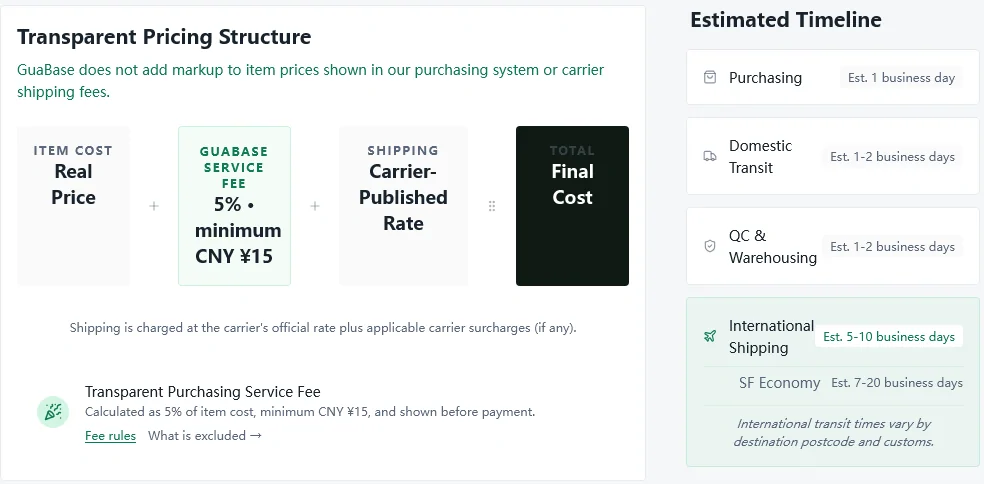
Expect the full run to take somewhere between eight and twenty-five business days. That range is our sum of GuaBase's published estimates: about one business day to buy, one to two for the seller to reach the warehouse, one to two for check-in and inspection, then five to ten by SF International Express or seven to twenty by SF International Economy. Your own pauses, such as waiting for a second order before packing, come on top.
Step 1 Open the account
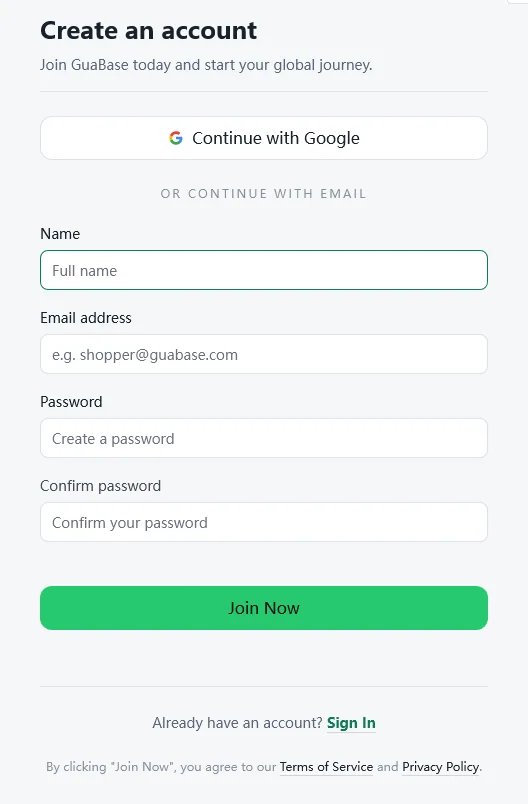
The sign-up page offers Continue with Google, or four fields: name, email, password and the password again. The green Join Now button agrees to GuaBase's Terms of Service and Privacy Policy, so skim both; the terms took effect on August 1, 2026.
Two settings are worth a minute on day one. Turn on two-factor sign-in, which GuaBase's Account & Security guide covers. And note the support routes: on-site tickets, WhatsApp, and email at [email protected], staffed 10:00 to 19:00 China time with a stated target of one business day per reply.
Use an email address you check often, and learn where the account menu keeps Notifications and My Tickets. Orders can pause for your answer, for example when a seller changes the price, and that is where the question waits.
Step 2 Bring the product to GuaBase
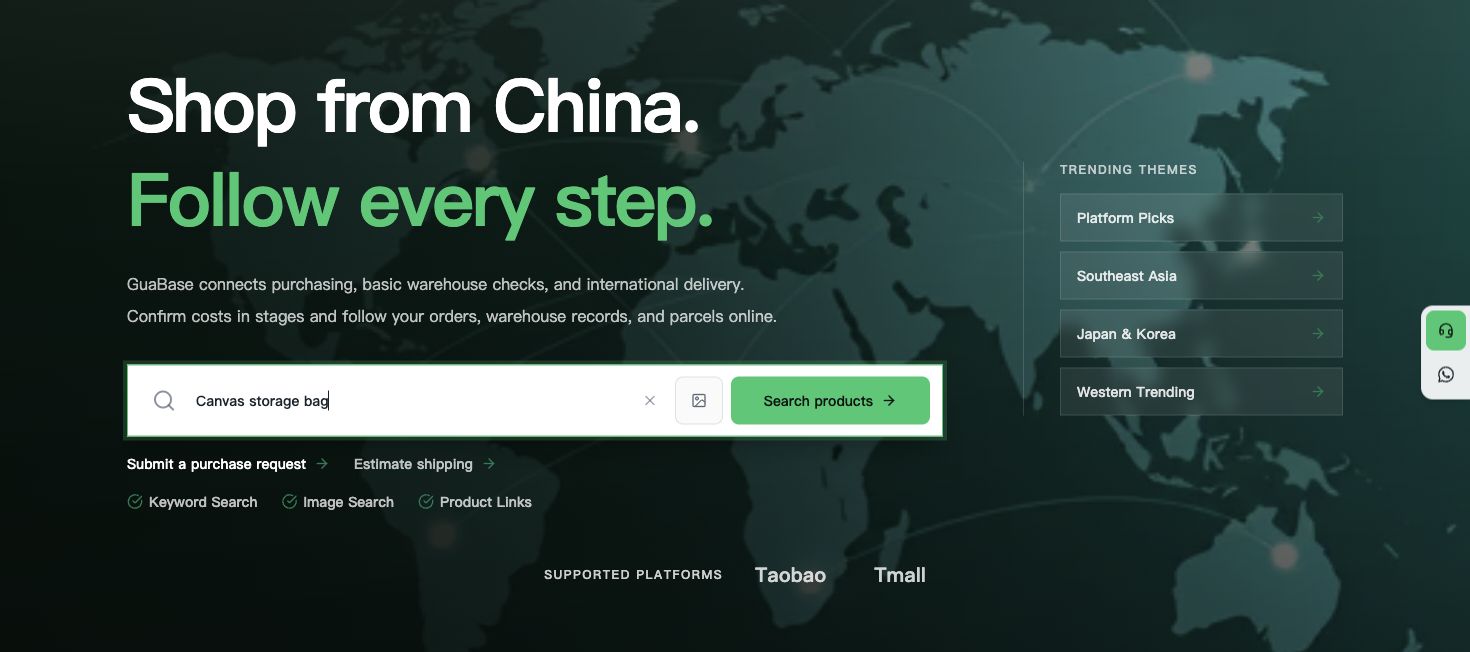
There are four ways in, and they are not equal. A pasted Taobao or Tmall link is the most exact: GuaBase reads that listing's options and prices. An uploaded photo finds visually similar listings. A keyword search finds whatever matches the words. The purchase request form, labelled Assisted purchasing in the top menu, is for anything the other three cannot reach: a listing that will not load, a shop on another platform, or an item you can only describe.
GuaBase's long guide also mentions 1688, the wholesale platform, while its How It Works page lists only Taobao and Tmall. Treat 1688 as available only if the order page shows it when you try. The full detail is on the order handoff page.

Step 3 Pick the option, add your note, pay the first bill
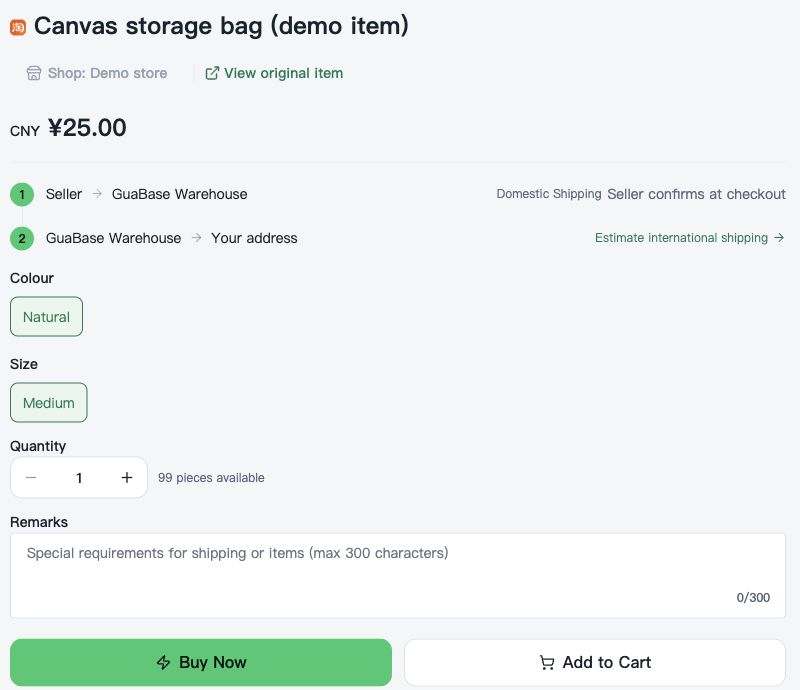
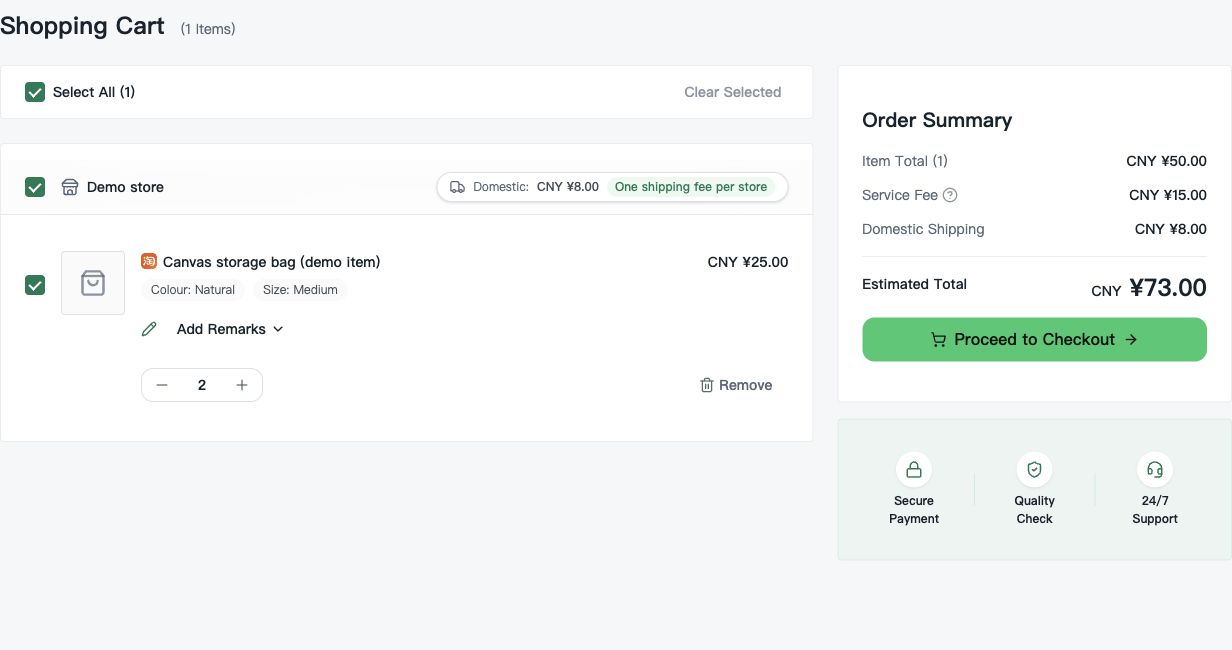
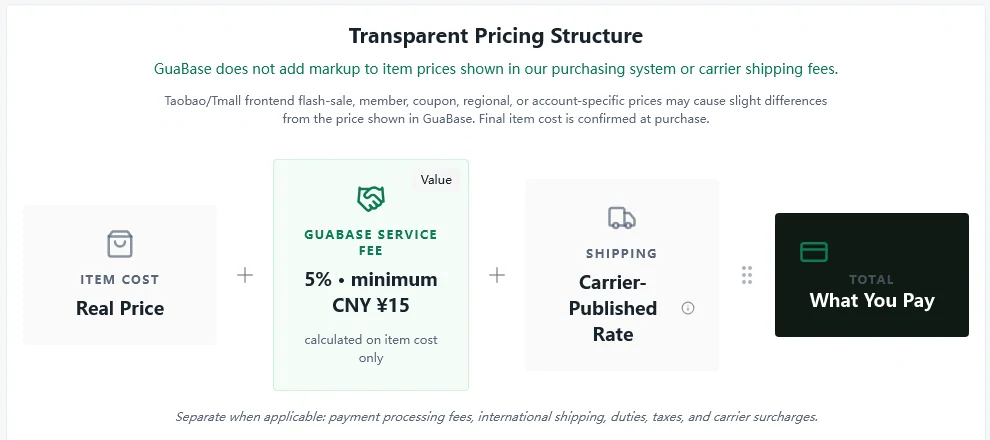
Select colour, size, bundle and quantity from the listing's own options, and use the order note for anything the options do not cover. The first bill shows the item cost, the seller's domestic shipping to the warehouse and GuaBase's service fee, worked out as 5% of the item cost with a CNY 15 minimum per order. Payment goes through Stripe Checkout in US dollars; GuaBase converts from yuan at its published rate and adds no Stripe surcharge of its own.
The price you see can differ a little from the Taobao page in your browser, because flash sales, member prices and coupons on the marketplace can be tied to one account. GuaBase confirms the final item cost when it buys. If the seller has raised the price, you are asked to pay the difference or cancel.
Step 4 Wait for Stored, and read the warehouse record
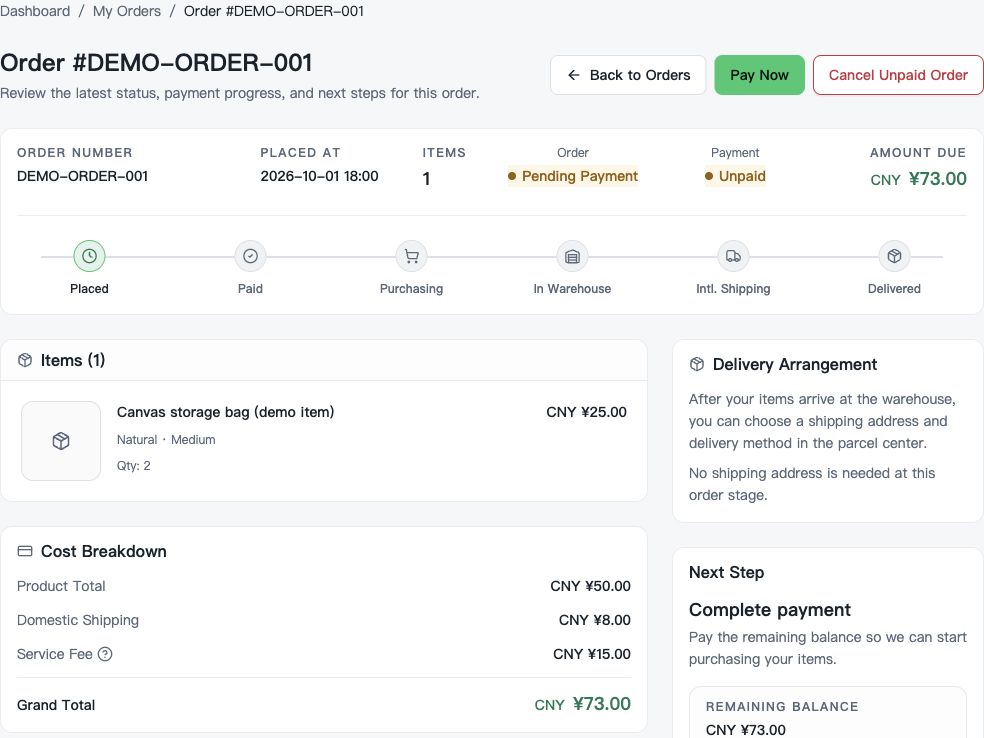
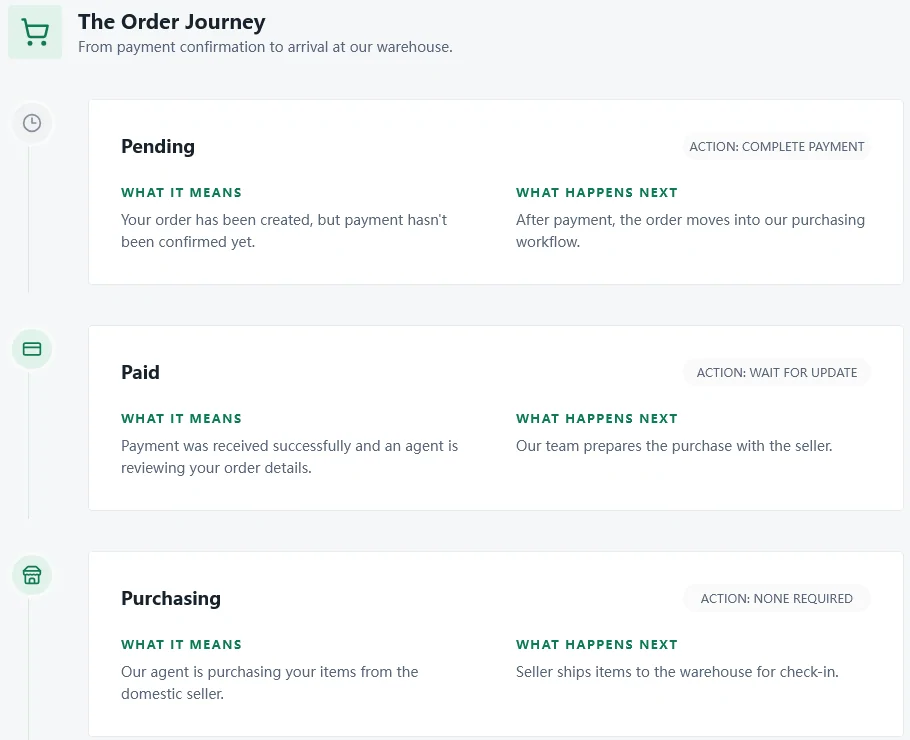
After payment the order moves through Paid and Purchasing while a buyer places it with the seller. The seller then posts it to GuaBase's warehouse in Anji County, Huzhou, Zhejiang. If you bought from several sellers, the order can show Partially Arrived until the last parcel turns up. When everything has arrived and passed the basic check, the order reads Stored and its action label becomes Submit Parcel.
Open the warehouse record before you go further. It shows what arrived and, when they help document the result, inspection photos. A visible problem is cheapest to fix now; once an item is inside an international parcel, a return is far harder. Details are on the intake and check pages.
Step 5 Choose stored items and submit one parcel
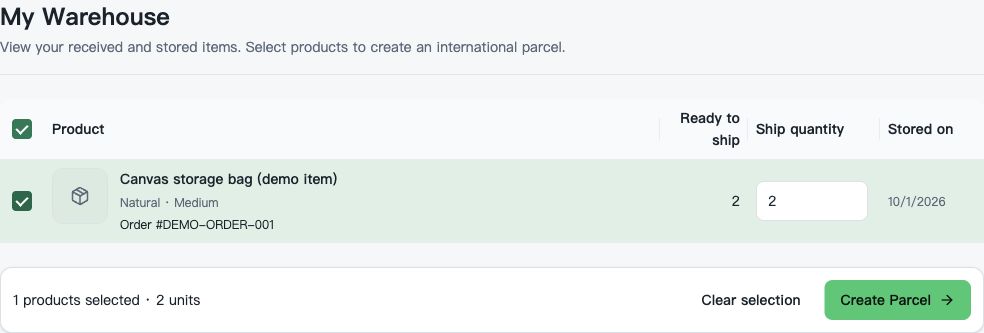
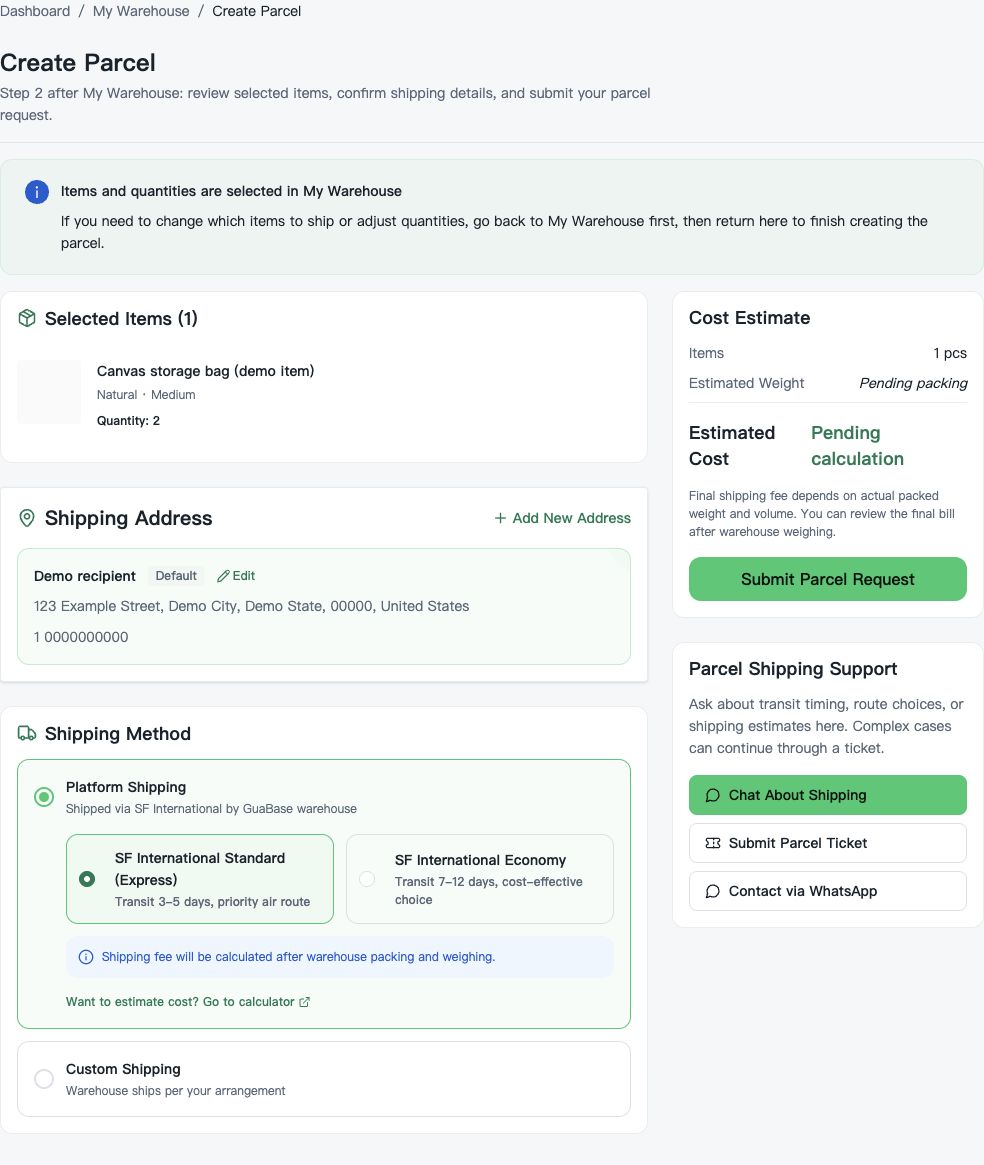
From warehouse inventory, which sits under My Warehouse in the account menu, tick the items and quantities that should travel together, confirm the delivery address and submit. The parcel enters Pending Packaging while staff pack it and then weigh and measure the finished box. Combining several orders into one parcel usually saves duplicated packaging, though GuaBase is careful to say it does not always lower the total. You have up to ninety days of free storage to wait for a second order before you submit.
This is also the moment to decide about packaging: keep the retail box, or let it go to shrink the carton. The consolidation page runs the numbers.
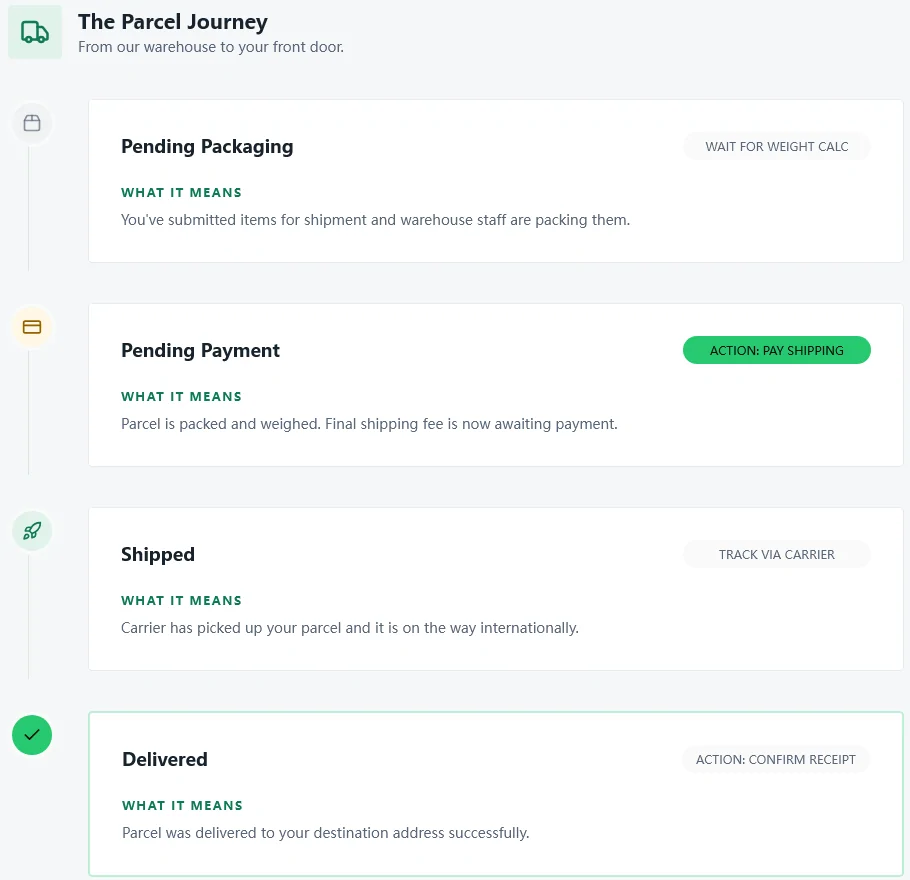
Step 6 Pay the freight quote for the weighed parcel
When the parcel reaches Pending Payment, the final shipping fee is waiting. GuaBase's integrated carrier is SF International: Express, which GuaBase recommends, at an estimated five to ten business days, or Economy at seven to twenty for less money. You may instead hand the parcel to your own freight forwarder once the items are in the warehouse. The charge follows the chargeable weight: whichever is higher, the scale reading or the carton's three sides in centimetres multiplied and then divided by 5000. Duties and taxes are not included.
For a figure before you order, GuaBase runs a price estimator at /shipping/calculator. See the freight page for how to use it well.
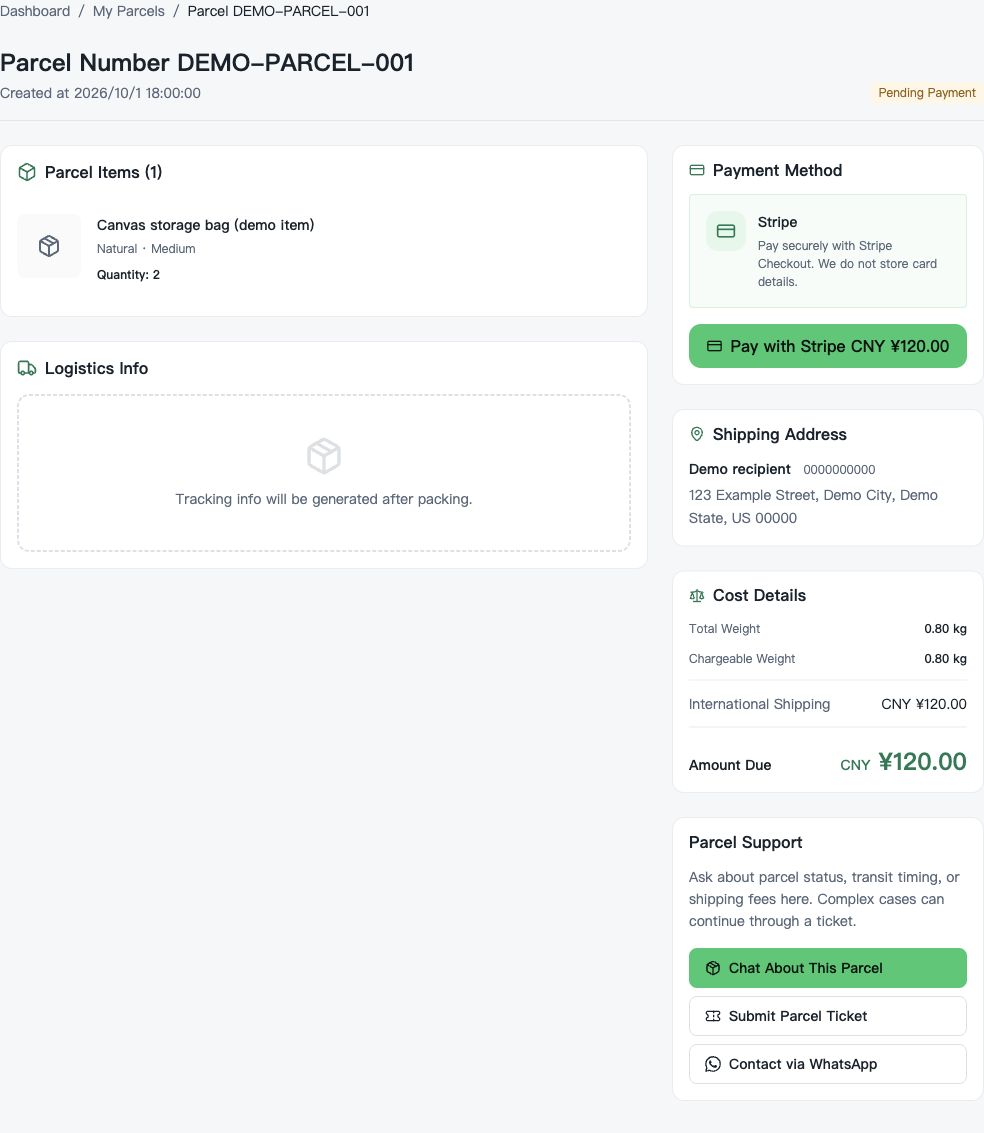
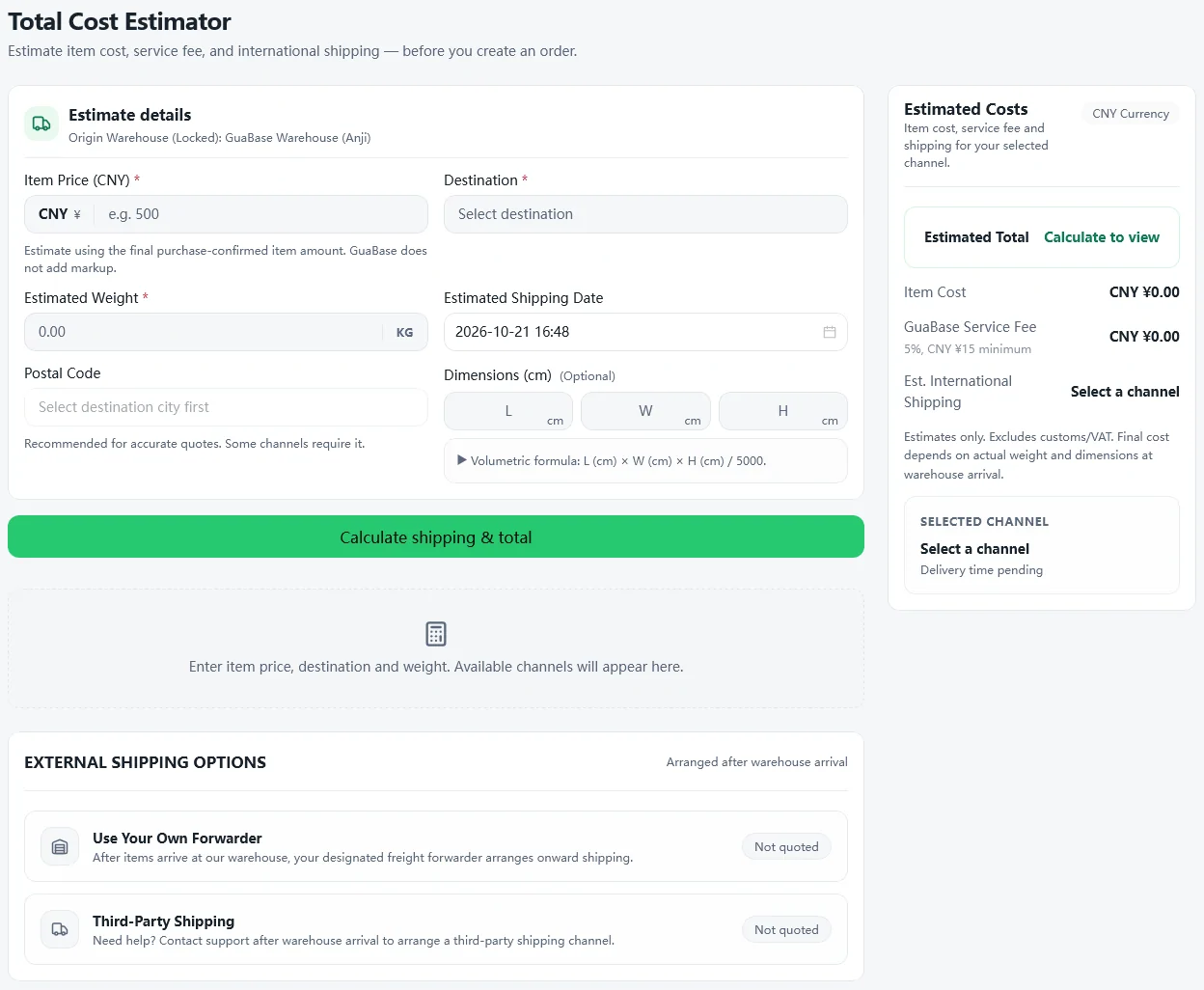
Step 7 Track it, confirm receipt, raise problems early
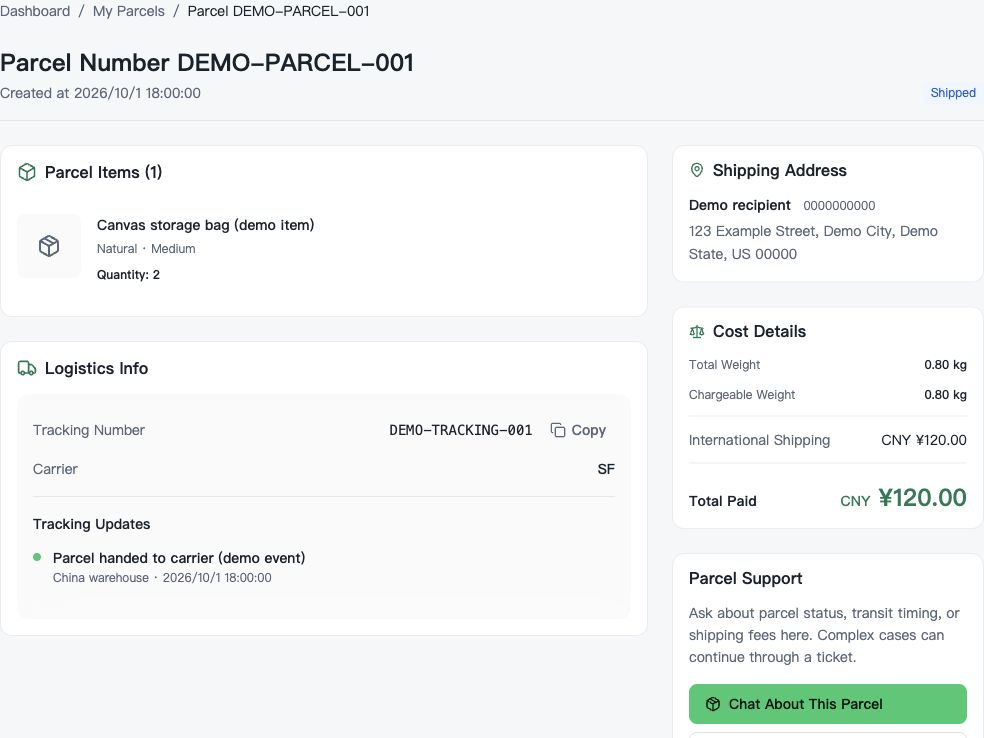
Once the carrier collects the parcel, the status becomes Shipped and a tracking number appears in My Parcels; GuaBase notes that carrier scans can take 24 to 48 hours to show online. When it arrives, the status turns to Delivered and asks you to confirm receipt. Customs may collect duties or taxes from you at the door.
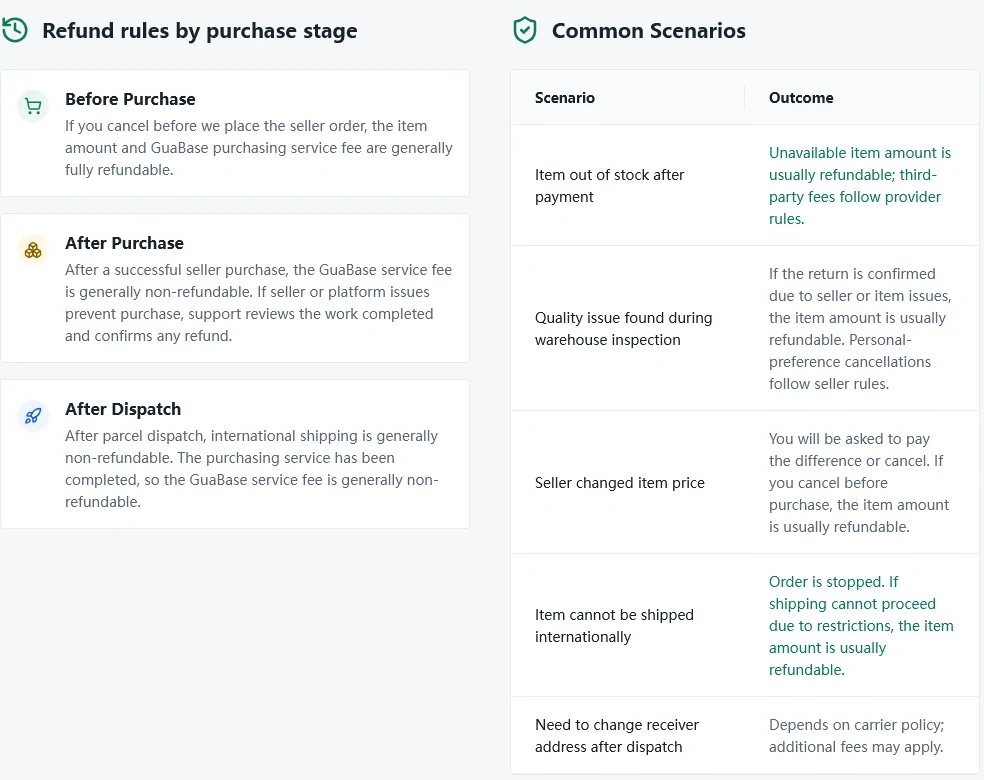
Refunds follow the stage the order had reached. Before GuaBase buys from the seller, the item and service fee are generally refundable in full; after the seller purchase, the service fee generally is not; after dispatch, international shipping generally is not either. The delivery page sets out each case.